Quick Answer: How to Use AI for Academic Research
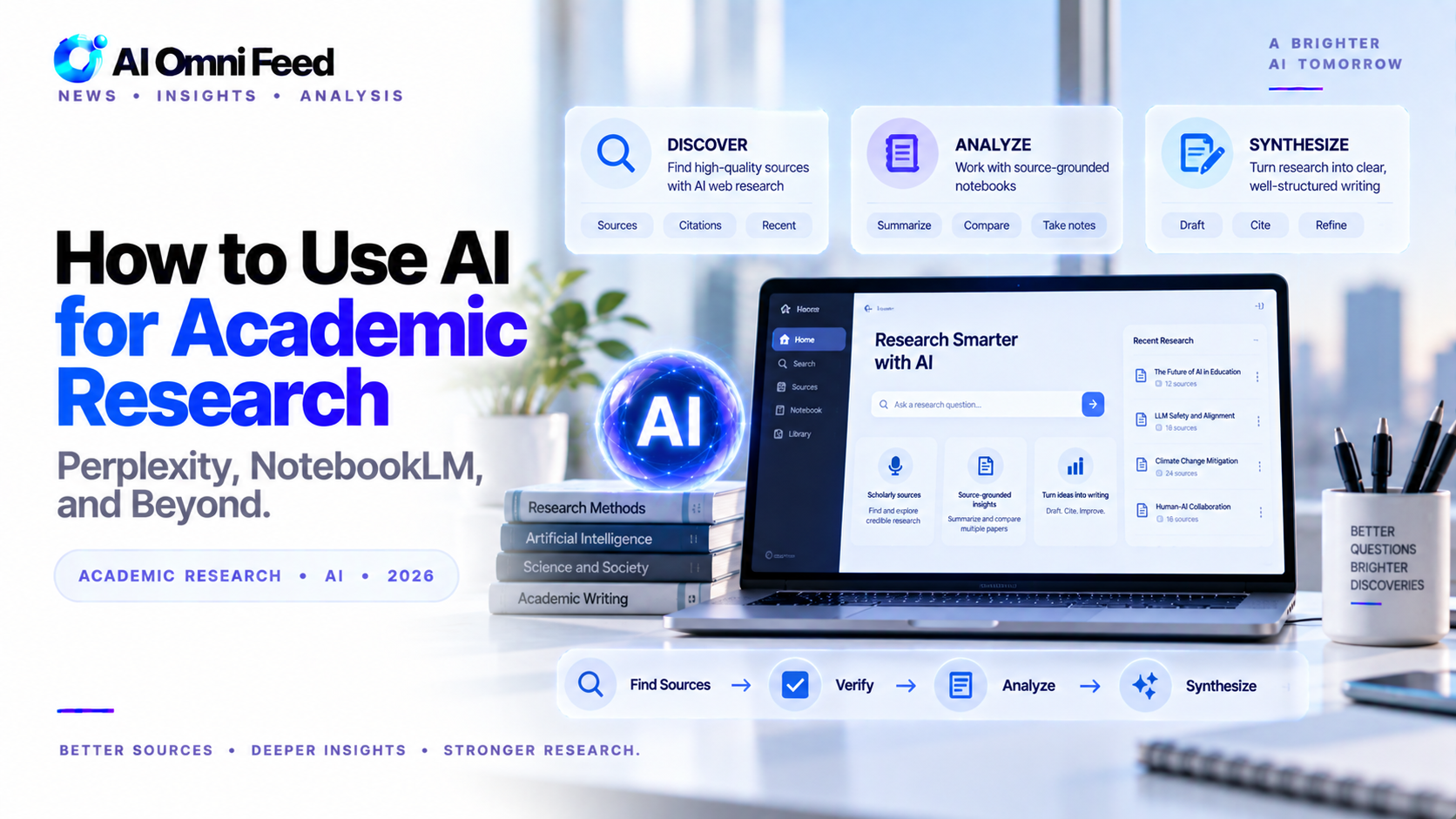
Perplexity Pro is the best tool for literature review and source gathering with cited results. NotebookLM excels at deep document analysis and creating study materials from your research. Consensus specializes in finding scientific papers with evidence-based answers. ChatGPT Deep Research generates comprehensive research reports. The most effective research workflow combines these tools: use Perplexity for initial research, NotebookLM for source analysis, and ChatGPT or Claude for synthesis and writing.
Key Takeaways
- Perplexity Pro provides sourced, citable answers from academic and web sources.
- NotebookLM excels at deep research on your own documents — it only knows what you upload.
- Consensus searches over 200 million academic papers with a “Consensus Meter” for scientific agreement.
How to Use AI for Academic Research
AI research tools have transformed how students, academics, and professionals find and synthesize information. The key is using the right tool for the right stage of research.
Perplexity Pro — Best for Literature Review
Perplexity searches the web and academic sources in real time, returning answers with inline citations. The Pro tier ($20/mo) gives access to frontier models. Best for: getting a sourced overview of any research topic quickly.
NotebookLM — Best for Deep Document Analysis
Google’s NotebookLM lets you upload PDFs, websites, and audio. It becomes an AI expert on only your materials — no hallucination about outside sources. It can even generate podcast-style audio summaries. Free, up to 50 documents per project.
Consensus — Best for Scientific Papers
Consensus searches 200 million academic papers and shows a “Consensus Meter” indicating whether most studies agree or disagree on a question. Essential for verifying scientific claims. Free tier available.
ChatGPT Deep Research — Best for Comprehensive Reports
ChatGPT’s Deep Research feature browses the web, reads sources, and produces multi-page reports with citations. Free tier includes 5 reports/month. Plus tier includes more.
Workflow for Efficient Research
- Start with Perplexity for a broad overview and source collection
- Upload key papers to NotebookLM for deep analysis
- Use Consensus to verify claims against the scientific literature
- Generate a structured report with ChatGPT Deep Research
Important Caveats
AI can hallucinate citations. Always verify sources. Use these tools to accelerate research, not replace your own critical thinking. Academic integrity policies vary — check your institution’s AI policy before submitting AI-assisted work.
Specialized AI Research Tools Worth Knowing
Beyond the major tools, several specialized AI research platforms address specific needs. Scite uses AI to analyze how many times a paper has been cited and whether citations are supporting or contrasting. Elicit automatically extracts key claims, methods, and results from papers and organizes them in a searchable table. Research Rabbit visualizes connections between papers and authors, helping you discover related work you might miss with keyword search. Paper Digest summarizes papers into digestible overviews. Scholaread extracts key insights from academic papers. Each of these tools fills a specific gap in the research workflow, and power users often combine them for comprehensive coverage.
AI for Data Analysis in Research
AI tools are transforming how researchers analyze data. ChatGPT’s Advanced Data Analysis can process CSV files, run statistical tests, generate visualizations, and identify patterns in large datasets. NotebookLM can synthesize findings across multiple uploaded research papers. Julius AI specializes in data analysis with features for statistical testing and visualization. For qualitative research, AI tools can code interview transcripts, identify themes, and generate preliminary analysis. These tools do not replace rigorous methodology but dramatically accelerate the data processing and initial analysis phases of research.
Ethical Use of AI in Academic Work
Using AI in academic research raises important ethical questions. Different institutions have different policies: some allow AI for brainstorming and editing, others prohibit any AI use in submitted work. The key principles are transparency, attribution, and academic integrity. Disclose your use of AI tools in your methodology section. Cite the tools you used just as you would cite any other research instrument. Do not use AI to fabricate data, sources, or results. Use AI as a research assistant that accelerates your work, not as a substitute for your own analysis and critical thinking. When in doubt, ask your advisor or institution about their AI policy.
Building a Complete AI Research Workflow
An efficient AI research workflow integrates multiple tools at different stages. During exploration, use Perplexity to identify key papers and research directions. During collection, use Scite and Elicit to organize papers and extract findings. During analysis, use NotebookLM to synthesize across documents and ChatGPT for data analysis. During writing, use your preferred AI writing tool to draft, edit, and refine. During verification, use Consensus to check findings against the broader scientific literature. This workflow reduces research time by 50-70% while maintaining or improving thoroughness, provided each AI output is verified against primary sources.
AI Research Tools Comparison Table
| Tool | Best For | Key Strength | Price | Free Tier |
|---|---|---|---|---|
| Perplexity Pro | Literature review | Cited answers, source verification, academic focus | 20/mo | Yes |
| NotebookLM | Document analysis | Source-grounded Q&A, study guides, audio summaries | Free | Yes |
| Consensus | Scientific papers | Evidence-based answers, paper discovery | Free | Yes |
| ChatGPT Deep Research | Research reports | Comprehensive reports, file analysis | 20/mo | Limited |
| Claude | Research synthesis | Long context, nuanced analysis, citation formatting | 20/mo | Yes |
Building a Complete AI Research Workflow
The most effective academic research workflow combines multiple AI tools at different stages. Start with Perplexity Pro to explore your topic, identify key papers, and gather initial sources with verified citations. Use Consensus to find specific scientific papers and evidence-based answers to research questions. Upload papers and sources to NotebookLM for deep analysis and study guide creation. Use ChatGPT Deep Research to generate comprehensive research reports that synthesize multiple sources. Finally, use Claude or ChatGPT for drafting your paper with proper citations. This workflow reduces research time by 50-70% while improving the breadth and quality of sources. For more on academic writing, see our guide to AI essay writing and guide to AI tools for students.
Ethical Use of AI in Academic Work
Using AI for academic research raises important ethical considerations. Always cite AI tools used in your research methodology. Verify all AI-provided sources and citations, as AI can generate plausible-sounding but fictitious references. Do not upload copyrighted or sensitive materials to AI tools without checking terms of service. Maintain transparency with advisors and collaborators about how you are using AI. Most institutions now have specific AI policies, and staying within those guidelines is essential for academic integrity. The most ethical approach treats AI as a research assistant that enhances your capabilities rather than a substitute for your own critical thinking and analysis.
Advanced AI Research Techniques
Beyond basic research assistance, advanced techniques unlock more value from AI tools. Use Perplexity Pro Collections to organize research by project with automatic source tracking. Create custom NotebookLM notebooks for each research paper or topic, uploading all relevant sources before asking questions. Use ChatGPT Deep Research to generate comprehensive literature reviews that identify gaps and connections across multiple papers. Combine multiple AI tools in a research pipeline where each tool handles its strength: Perplexity for discovery, NotebookLM for analysis, ChatGPT for synthesis, and Claude for writing. This multi-tool approach produces better research outcomes than relying on any single AI for everything.
Frequently Asked Questions
What is the best AI for academic research?
Perplexity Pro is the best for literature review with cited sources. NotebookLM excels at analyzing uploaded papers and creating study materials.
Can AI find academic papers?
Yes. Perplexity Pro searches academic sources and provides cited results. Consensus specializes in finding scientific papers with evidence-based answers.
Is AI reliable for research?
AI is excellent for initial research and source discovery, but always verify AI-provided sources and citations. AI can occasionally hallucinate references that look real but do not exist.
Can AI help write research papers?
AI assists with literature review, outlining, drafting, and editing. Most institutions require that the core research and writing be your own work.
What is the best free AI research tool?
NotebookLM is completely free and purpose-built for research analysis. Perplexity free tier offers basic research capabilities with citations.
