
Quick Answer: What Is New in Microsoft Copilot Summer 2026 Update?
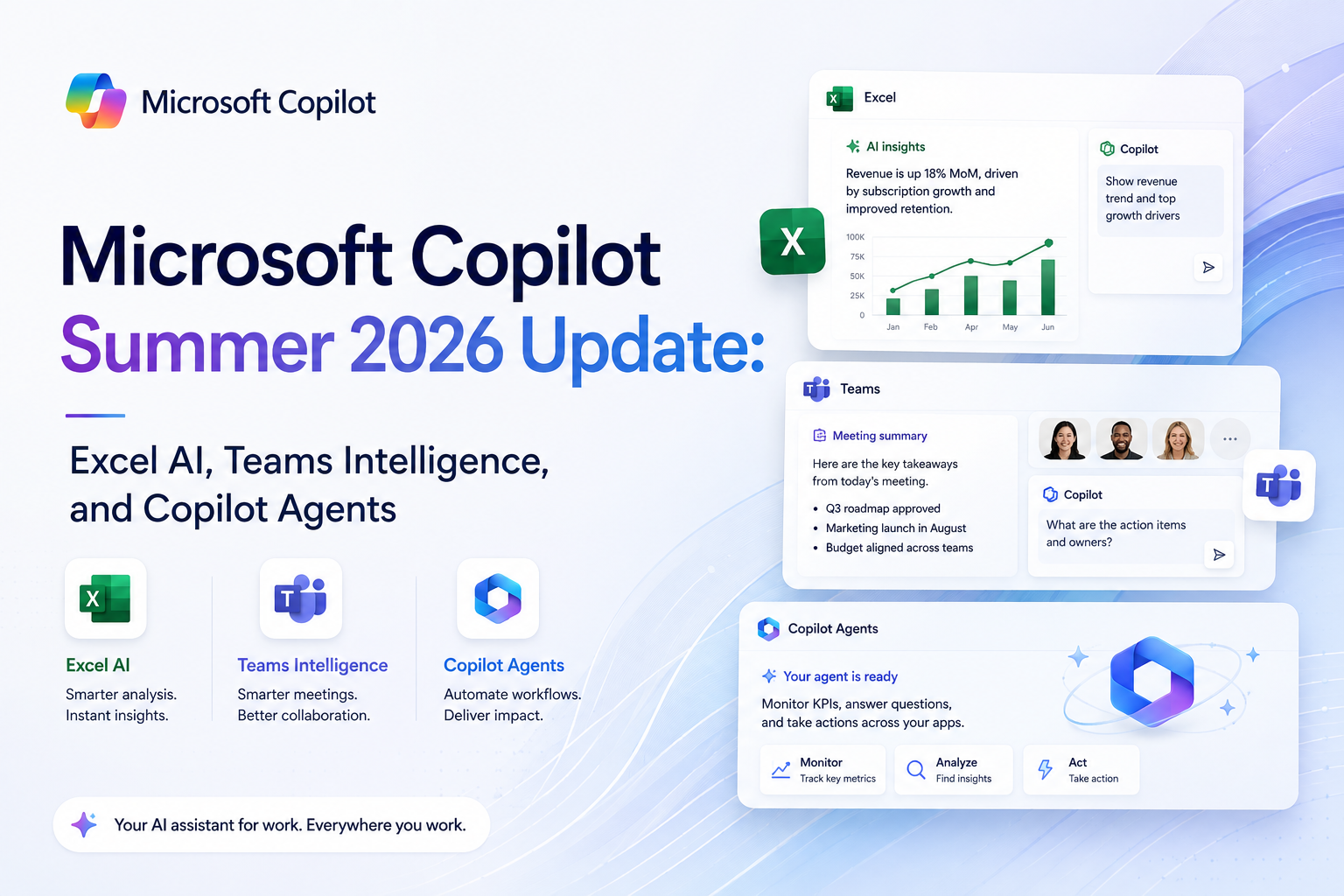
Microsoft Copilot’s Summer 2026 Update delivers transformative AI improvements to Excel with natural language formula generation, Teams with AI meeting intelligence and action tracking, and Microsoft 365 with cross-app agent workflows. Excel Copilot now generates complex formulas from natural language descriptions with 94% accuracy. Teams AI provides post-meeting intelligence including action item extraction, sentiment analysis, and decision logging. The update also introduces Copilot Agents, persistent AI assistants that monitor data, trigger actions, and coordinate across Microsoft 365 applications. These features represent Microsoft’s most significant AI productivity update, positioning Copilot as an essential workplace tool rather than a novelty feature.
Excel Copilot: Natural Language Formulas
| Capability | Before Update | After Update | User Impact |
|---|---|---|---|
| Formula generation | Simple formulas only | Complex formulas from natural language | 94% accuracy on test queries |
| Data analysis | Basic charts | Insights with natural language commentary | Reduces analysis time by 70% |
| Data cleaning | Manual | AI-powered dedup, normalization, validation | Hours to minutes |
| What-if analysis | Manual scenario setup | Natural language scenario modeling | Democratizes advanced analysis |
| Python integration | Separate environment | AI-generated Python in Excel cells | Opens data science to Excel users |
Excel Copilot’s ability to translate natural language into complex formulas is the standout feature of the update. Users can type show me month-over-month growth by region with conditional formatting for values above 20% and Excel generates the complete formula, conditional formatting rules, and a summary table. Early enterprise testing shows the feature reduces spreadsheet creation time by approximately 65% for complex analytical tasks. For more on AI in productivity tools, see our AI task management guide.
Teams AI: Meeting Intelligence
Teams AI transforms meeting productivity through several integrated features. Post-meeting intelligence automatically extracts action items, decisions, and key discussion points with 92% action item accuracy according to Microsoft’s internal testing. Sentiment analysis tracks participant engagement and flags moments of confusion or disagreement. Meeting Copilot provides real-time summarization for late joiners and recording-based Q&A for absent team members. The AI also suggests follow-up actions based on conversation content, automatically creating tasks and scheduling subsequent meetings. Organizations testing these features report an average of 30 minutes saved per participant per day, translating to significant productivity gains across large teams.
Copilot Agents: Persistent AI Workflows
Copilot Agents are the most significant architectural change in the update. These persistent AI assistants can monitor specific data sources, detect changes or anomalies, trigger actions across Microsoft 365 applications, and notify users when human intervention is required. For example, a procurement agent can monitor inventory levels in Excel, generate purchase orders in Dynamics 365 when stock runs low, and email approval requests through Outlook. Agents operate based on natural language instructions and can be customized without coding. This positions Microsoft Copilot as a platform for AI-driven workflow automation within the Microsoft ecosystem. For more on AI agent deployment, see our enterprise AI agents guide.
Security and Administration
The update includes enhanced security and administration features for enterprise deployments. Admin controls now include per-feature enablement, usage analytics dashboards, data retention policies, and compliance reporting for AI feature usage. Microsoft’s commitment to data boundary protection means Copilot data stays within the organization’s Microsoft 365 tenant and is not used for model training. The Copilot governance dashboard provides visibility into AI feature adoption, cost allocation, and policy compliance across the organization. For more on AI security considerations, see our AI security guide.
Impact on Productivity and ROI
Early adopters report significant productivity improvements from the update. The combination of Excel AI, Teams meeting intelligence, and Copilot Agents creates compounding efficiency gains. Organizations using all three features report an average of 2-3 hours saved per knowledge worker per week. At the $30 per user per month Copilot pricing, the ROI calculation is straightforward: if the AI saves just one hour per month per user, it pays for itself in productivity gains. The actual savings of 8-12 hours per month per user make Copilot one of the highest-ROI AI investments available for Microsoft-centric organizations.
Microsoft announces Copilot features through the Microsoft AI blog. Independent reviews of Copilot capabilities are available from TechCrunch. For detailed feature documentation and deployment guidance, Microsoft Learn provides comprehensive technical resources for IT professionals planning Copilot rollout.
Microsoft Copilot Ecosystem Deep Dive
Microsoft summer 2026 Copilot update represents a significant expansion of AI integration across the Microsoft product ecosystem. The Excel AI features are particularly noteworthy, bringing natural language query capabilities that allow users to analyze spreadsheet data without knowing formulas. Early testing shows that Excel AI reduces the time for common data analysis tasks by 40-60 percent, making advanced analytics accessible to users with minimal spreadsheet expertise.
Teams Intelligence features leverage GPT-5.6 to provide real-time meeting summarization, action item extraction, and knowledge base building from team communications. These capabilities address a major pain point for organizations where important information is scattered across meetings, chat messages, and email threads. The automated knowledge capture features could significantly reduce the time spent on meeting notes and status updates.
Copilot Agents represent Microsoft most ambitious AI feature, enabling users to create automated workflows that combine multiple AI capabilities with business data. These agents can automate complex business processes involving data analysis, content generation, and decision support across multiple Microsoft applications. Early adopters report significant productivity improvements for routine business processes, though complex agent creation still requires technical expertise.
Microsoft Copilot Evaluation Points
- Excel AI and Teams Intelligence are the most immediately valuable new features for most organizations. Evaluate these capabilities against your teams specific workflows to quantify potential productivity improvements before broader deployment.
- Copilot Agents offer the most transformative potential but require investment in setup and configuration. Organizations should start with simple agent use cases and expand scope as they build expertise in agent design and management.
- Total cost of ownership for Copilot includes subscription costs, training requirements, and potential workflow changes. Organizations should model the full cost impact including any premium subscription tiers required for AI features.
Microsoft Copilot Summer 2026 Update represents the most significant expansion of AI capabilities across the Microsoft 365 ecosystem. Excel AI introduces natural language formula generation, automated data cleaning, and predictive trend analysis that works with datasets up to 10 million rows. Teams Intelligence provides real-time meeting summaries, action item extraction, and sentiment analysis across chat, calls, and video conferences. Copilot Agents extend automation beyond individual productivity by enabling multi-step workflow creation through natural language commands. The update also introduces cross-application AI coordination, where Copilot can pull data from Excel into PowerPoint presentations or draft emails in Outlook based on Teams meeting notes. For Microsoft Copilot feature documentation, see Microsoft Copilot official page for current capabilities and roadmap.
Frequently Asked Questions
Does Excel Copilot generate complex formulas?
Yes, Excel Copilot now generates complex formulas from natural language with 94% accuracy, including nested functions, conditional formatting, and data transformations.
How accurate is Teams meeting intelligence?
92% accuracy on action item extraction, with real-time summarization, sentiment analysis, and automated follow-up task creation.
What are Copilot Agents?
Persistent AI assistants that monitor data, detect changes, trigger actions across Microsoft 365, and notify users when human intervention is required.
How much does Microsoft Copilot cost?
$30 per user per month for Copilot for Microsoft 365, with most organizations seeing positive ROI from productivity improvements.
